
Configure with Confidence Using CAMEO-360
Better Visibility. Faster Turnaround.
Waudena is introducing two new enhancements to the CAMEO-360 Configurator designed to help simplify planning and keep projects moving. These updates provide greater visibility into production timelines and help users make more informed decisions during the configuration process. Together, they make it easier to evaluate options, plan ahead, and order with confidence.
Quick Ship: Get Qualifying Orders Into Production Faster
The new Quick Ship Program helps streamline planning by identifying qualifying configurations that we can manufacture within five business days. Designed to help keep jobsites moving, the program guides users through prequalified options that meet Quick Ship requirements, making it easier to select eligible frames and cull doors and move projects forward with confidence.
Getting Started with Quick Ship
To access the Quick Ship Program in CAMEO-360:
- Open the CAMEO-360 Configurator and start a new order.
- Select “Add Items” in the upper-right corner.
- Choose “Quick Ship Cull Doors” from the menu.
- Follow the prompts to select qualifying Quick Ship options and complete your order.
Note: The Quick Ship Program is available for frames and cull doors only. Finished slabs are not eligible.
NEW: Estimated Lead Times: Plan Ahead with Greater Confidence
The new Estimated Lead Time feature provides greater visibility into production timelines during the configuration process. By displaying estimated lead times before an order is submitted, users can better evaluate options, set expectations, and make informed planning decisions earlier in the process.
Key Benefits
- Gain a better understanding of production lead times before placing an order.
- Adjust selections to better align with project timelines before submitting.
- Better evaluate configuration choices with greater visibility into production time.
Note: Estimated lead times do not include transportation time.
How to Access Estimated Lead Times
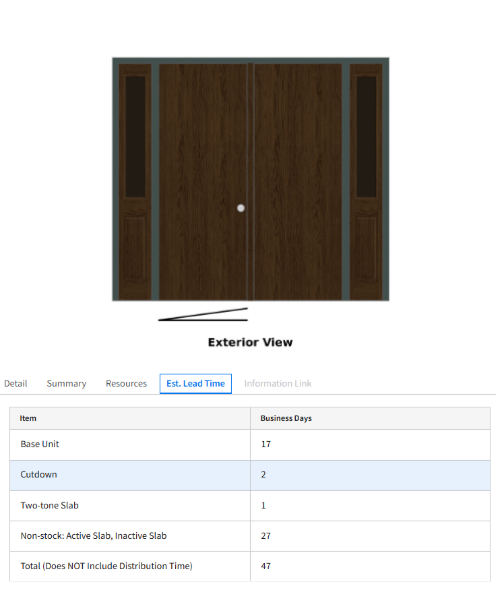
- While configuring your order, select the Estimated Lead Time tab located to the right of the Resource tab.
- An itemized list will populate to show which sections affected your lead times and the total production time in business days.
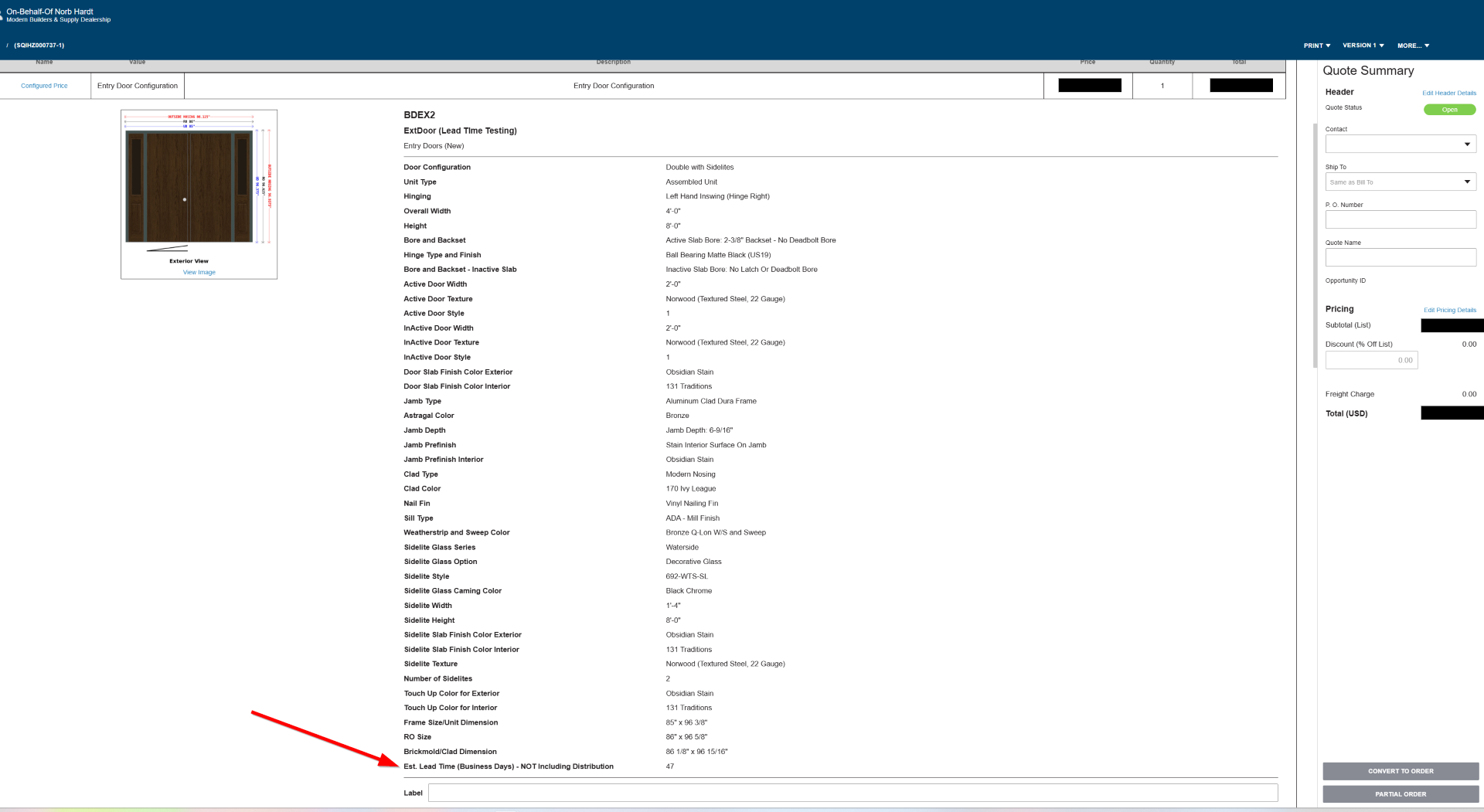
You can also view the total estimated lead time at the bottom of your quote or order summary.
Start Exploring These New Features in CAMEO-360
The Quick Ship Program and Estimated Lead Time feature are designed to provide greater visibility throughout the configuration process, helping users make informed decisions and keep projects moving. Log in to CAMEO-360 today to explore these new enhancements and experience a more streamlined ordering process.